# Knowledge base analytics
> Source: https://support.usebluehill.com/help-center-analytics | Updated: 2026-10-26T22:19:30Z
## Open the analytics
- **Analytics → Knowledge base** in the main navigation, or **Analytics** in the wiki sidebar toolkit, opens the **Knowledge base analytics** page.
- **Support → Support settings → KB analytics** shows a short **Knowledge base impact** summary (deflection rate, article views, self-serve tickets, articles resolved via) with a link to the full page.
- Each live article's details rail carries a **Help center · 30 days** block. See [The details rail](./help-center-write-and-publish-articles#the-details-rail).
 ## Filters
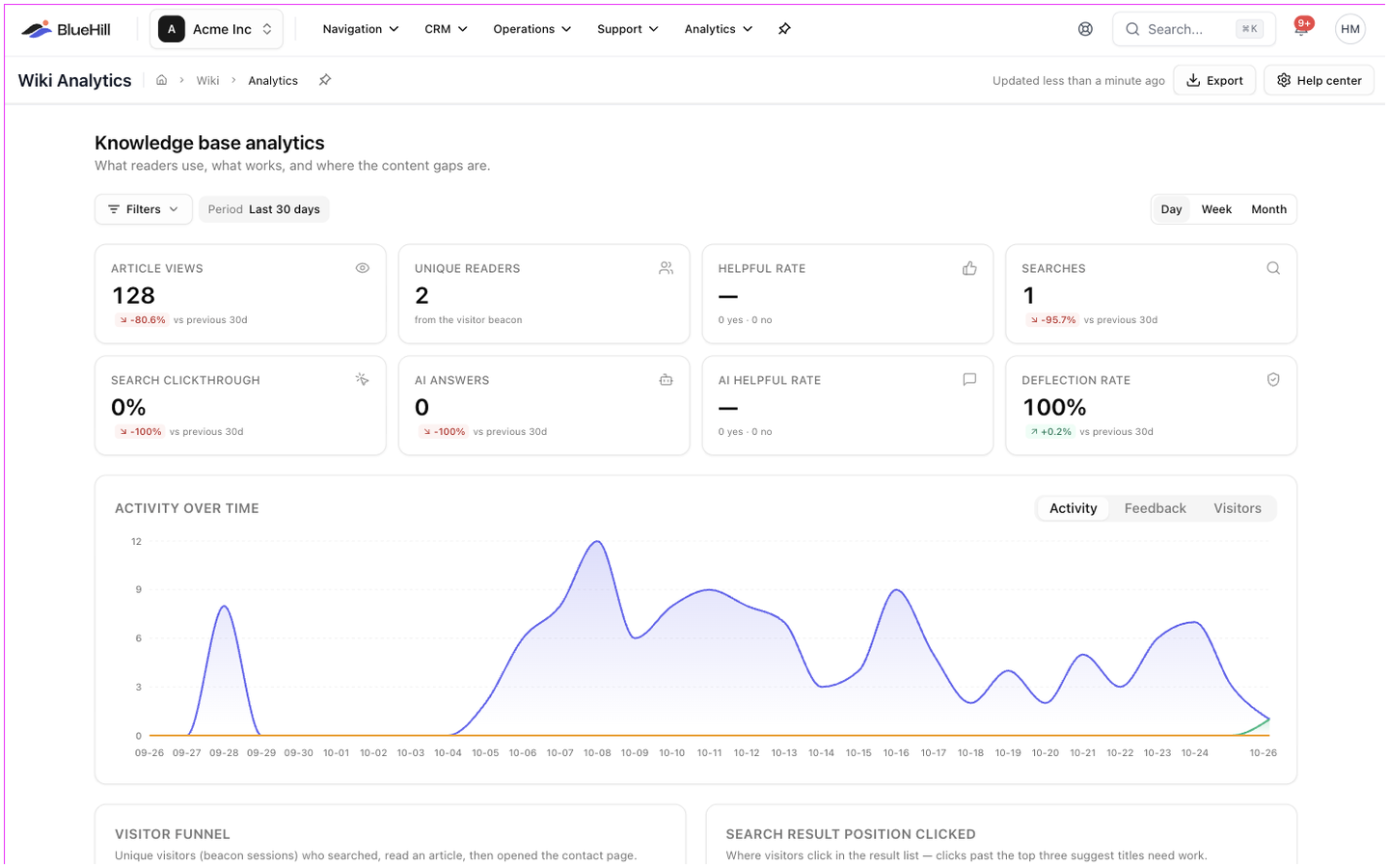
The filter bar at the top applies to the whole page and is kept in the address, so you can share a filtered view.
| Filter | Options |
|---|---|
| **Period** | **Last 7 days**, **Last 30 days** (default), **Last 90 days**, **Last 12 months**, **This month**, **Last month** or a custom range. |
| **Content** | **Site**, **Knowledge base**, **Category**, **Status** and **Tag**. |
| **Traffic** | **Page type** (Home, Category, Article, Search, Contact), **Search source** (search box or contact-form deflection) and **AI answer** (answered or unanswered). |
A day / week / month toggle sets the granularity of the charts. Content filters scope the article-keyed numbers (views, readers, votes, search clicks, agent links, resolved tickets and AI citations); searches, AI questions and the funnel are always site-wide.
Until the help center has received visits, the page shows **No help-center activity yet** with buttons for the help center settings and the wiki.
## The numbers at the top
| Card | What it counts |
|---|---|
| **Article views** | Article reads, with the number of AI-agent fetches below. |
| **Unique readers** | Distinct visitor sessions. |
| **Helpful rate** | Yes votes as a share of all votes, with the counts. |
| **Searches** | Searches made, with how many found nothing. |
| **Search clickthrough** | Searches that led to a result click. |
| **AI answers** | Questions asked, with the share that were answered. |
| **AI chat messages** | Messages in Ask AI chats, with the share answered and the number of conversations. Shown once chat has been used. |
| **AI helpful rate** or **Self-serve tickets** | Ratings of AI answers once there are some; otherwise tickets opened from the portal. |
| **Deflection rate** | Views compared with self-serve tickets, with how many tickets credit an article. |
Each card compares with the previous period. A **Since *date*** badge marks a metric that is only recorded from that date onward.
## Panels
- **Activity over time** charts views, searches, AI answers and chat messages, with **Feedback** and **Visitors** tabs.
- **Visitor funnel**: visitors who searched, read an article, then opened the contact page.
- **Search result position clicked**: clicks past the top three suggest titles need work.
- **Breakdowns** by knowledge base, category, page type, source, device, browser and country.
- **Top searches**, each with the average number of results, clicks and clickthrough rate.
- **Searches with no results**: the content gaps.
- **Traffic sources**: external referrers.
- **Busiest hours**: views and searches by weekday and hour in your local time.
## The article scorecard
**Article scorecard** lists every article with activity. Search it, sort any column, and page through it with **Rows per page**.
| Column | Meaning |
|---|---|
| **Views** | Article reads. |
| **Uniques** | Distinct visitor sessions. |
| **Helpful** | Share of helpful votes. Shown in red below 50%. |
| **Search clicks** | Opened from a search result. |
| **AI fetches** | The markdown version fetched by AI agents and crawlers. |
| **Agent links** | Times agents linked the article into tickets. |
| **Resolved via** | Tickets marked resolved with this article. |
## Filters
The filter bar at the top applies to the whole page and is kept in the address, so you can share a filtered view.
| Filter | Options |
|---|---|
| **Period** | **Last 7 days**, **Last 30 days** (default), **Last 90 days**, **Last 12 months**, **This month**, **Last month** or a custom range. |
| **Content** | **Site**, **Knowledge base**, **Category**, **Status** and **Tag**. |
| **Traffic** | **Page type** (Home, Category, Article, Search, Contact), **Search source** (search box or contact-form deflection) and **AI answer** (answered or unanswered). |
A day / week / month toggle sets the granularity of the charts. Content filters scope the article-keyed numbers (views, readers, votes, search clicks, agent links, resolved tickets and AI citations); searches, AI questions and the funnel are always site-wide.
Until the help center has received visits, the page shows **No help-center activity yet** with buttons for the help center settings and the wiki.
## The numbers at the top
| Card | What it counts |
|---|---|
| **Article views** | Article reads, with the number of AI-agent fetches below. |
| **Unique readers** | Distinct visitor sessions. |
| **Helpful rate** | Yes votes as a share of all votes, with the counts. |
| **Searches** | Searches made, with how many found nothing. |
| **Search clickthrough** | Searches that led to a result click. |
| **AI answers** | Questions asked, with the share that were answered. |
| **AI chat messages** | Messages in Ask AI chats, with the share answered and the number of conversations. Shown once chat has been used. |
| **AI helpful rate** or **Self-serve tickets** | Ratings of AI answers once there are some; otherwise tickets opened from the portal. |
| **Deflection rate** | Views compared with self-serve tickets, with how many tickets credit an article. |
Each card compares with the previous period. A **Since *date*** badge marks a metric that is only recorded from that date onward.
## Panels
- **Activity over time** charts views, searches, AI answers and chat messages, with **Feedback** and **Visitors** tabs.
- **Visitor funnel**: visitors who searched, read an article, then opened the contact page.
- **Search result position clicked**: clicks past the top three suggest titles need work.
- **Breakdowns** by knowledge base, category, page type, source, device, browser and country.
- **Top searches**, each with the average number of results, clicks and clickthrough rate.
- **Searches with no results**: the content gaps.
- **Traffic sources**: external referrers.
- **Busiest hours**: views and searches by weekday and hour in your local time.
## The article scorecard
**Article scorecard** lists every article with activity. Search it, sort any column, and page through it with **Rows per page**.
| Column | Meaning |
|---|---|
| **Views** | Article reads. |
| **Uniques** | Distinct visitor sessions. |
| **Helpful** | Share of helpful votes. Shown in red below 50%. |
| **Search clicks** | Opened from a search result. |
| **AI fetches** | The markdown version fetched by AI agents and crawlers. |
| **Agent links** | Times agents linked the article into tickets. |
| **Resolved via** | Tickets marked resolved with this article. |
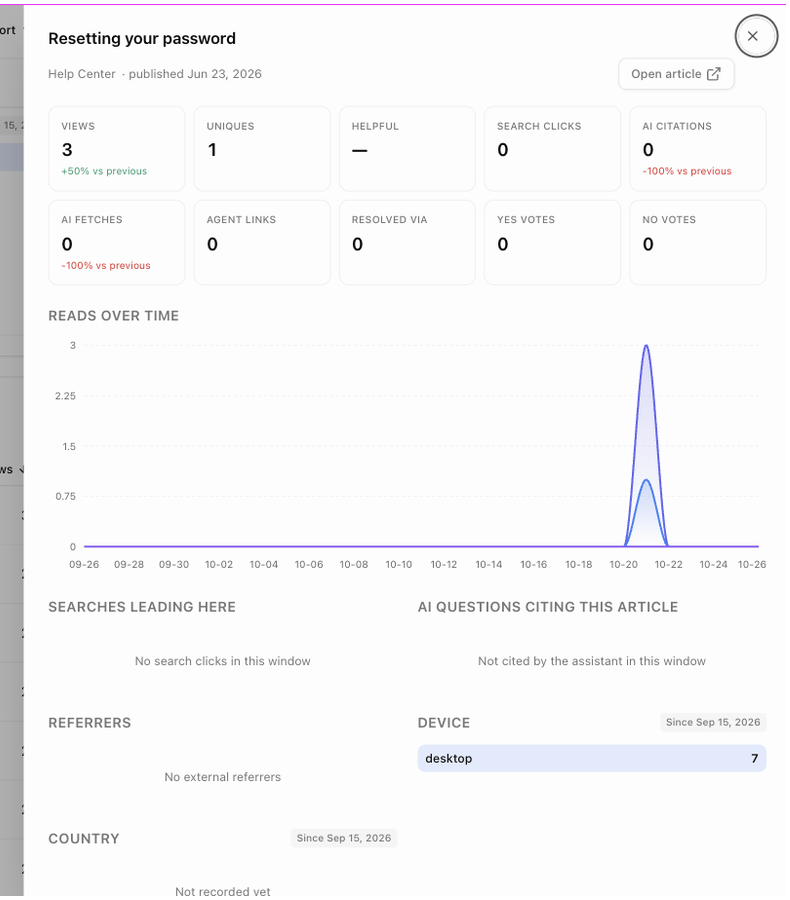 Click a row to open the article's drawer: **Open article**, the mini numbers with their change against the previous period, **Reads over time**, **Feedback over time**, **Searches leading here**, **AI questions citing this article**, **Referrers** and the breakdowns.
## AI assistant
Click a row to open the article's drawer: **Open article**, the mini numbers with their change against the previous period, **Reads over time**, **Feedback over time**, **Searches leading here**, **AI questions citing this article**, **Referrers** and the breakdowns.
## AI assistant
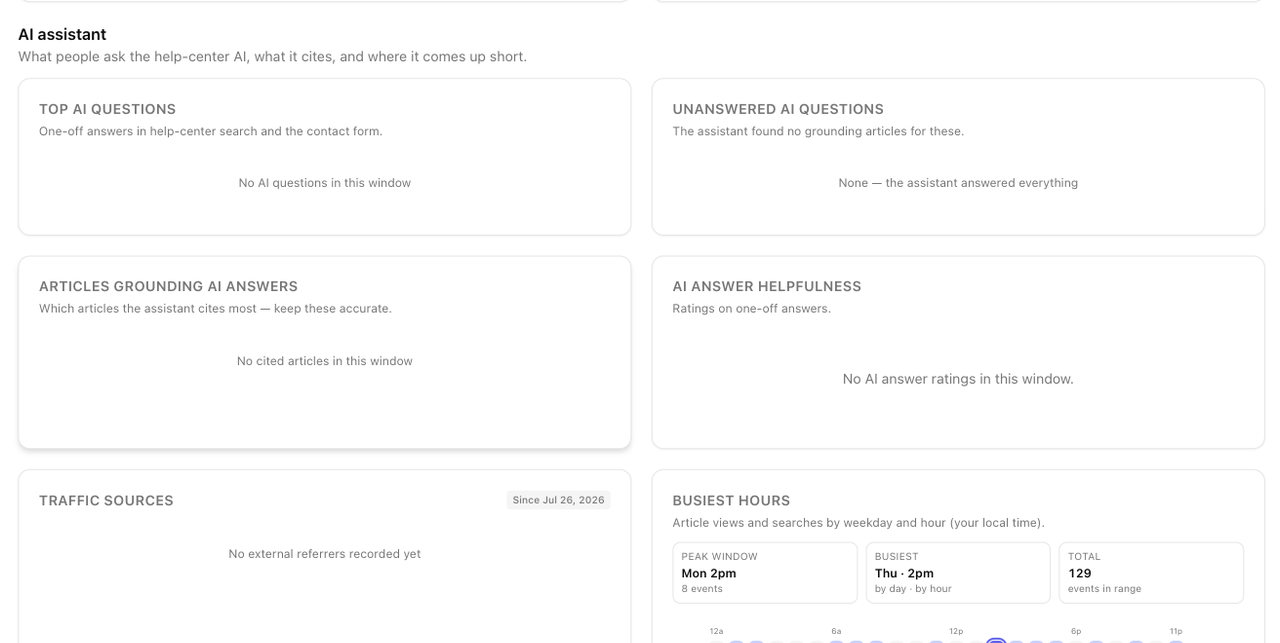 The **AI assistant** section shows what people ask the help-center AI and where it falls short:
- **Top AI questions** and **Unanswered AI questions**.
- **Articles grounding AI answers**, by number of citations.
- **AI answer helpfulness**, from the ratings under answers.
- Once chat has been used, a **Both / Search answers / Chat** switch, **Chats by topic** (each conversation counted under the category of the article it cited most) and **Chat at a glance**.
- **Chat conversations**: the list of Ask AI conversations with the person, topic, number of answers, how many were not grounded in an article and the rating. Click one to read the transcript. **Only admins can see this list and open transcripts**; conversations a customer deleted are not shown.
## Export
**Export** in the page header downloads a CSV for the current filters: **Article scorecard (top 500)**, **Searches + content gaps**, **AI questions** or **Breakdowns**. The **Help center** button next to it opens the help center settings.
Next: [FAQ and troubleshooting](./help-center-faq-and-troubleshooting).
The **AI assistant** section shows what people ask the help-center AI and where it falls short:
- **Top AI questions** and **Unanswered AI questions**.
- **Articles grounding AI answers**, by number of citations.
- **AI answer helpfulness**, from the ratings under answers.
- Once chat has been used, a **Both / Search answers / Chat** switch, **Chats by topic** (each conversation counted under the category of the article it cited most) and **Chat at a glance**.
- **Chat conversations**: the list of Ask AI conversations with the person, topic, number of answers, how many were not grounded in an article and the rating. Click one to read the transcript. **Only admins can see this list and open transcripts**; conversations a customer deleted are not shown.
## Export
**Export** in the page header downloads a CSV for the current filters: **Article scorecard (top 500)**, **Searches + content gaps**, **AI questions** or **Breakdowns**. The **Help center** button next to it opens the help center settings.
Next: [FAQ and troubleshooting](./help-center-faq-and-troubleshooting).