# Branding, contact channels and self sign-up
> Source: https://support.usebluehill.com/help-center-branding-contact-and-sign-up | Updated: 2026-10-26T22:19:30Z
All of these live in **Support → Support settings → Help center**. With more than one site, pick the site with the pills at the top first; every card below applies to that site only.
## Branding
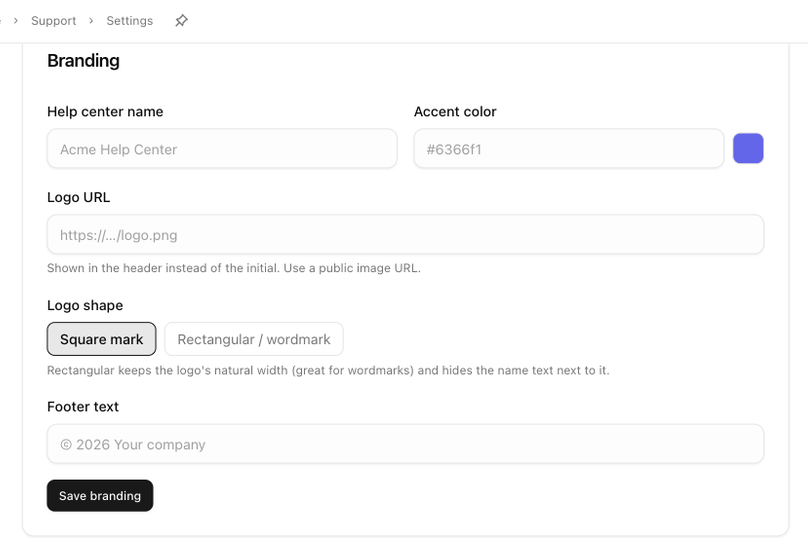 | Field | What it does |
|---|---|
| **Help center name** | The name in the header, the browser tab and search results. Defaults to your workspace name. |
| **Accent color** | A hex colour used for links, buttons and the lettermark. |
| **Logo URL** | A public image address. Shown in the header instead of the initial. |
| **Logo shape** | **Square mark** (the default) or **Rectangular / wordmark**. A rectangular logo keeps its natural width and hides the name text next to it. |
| **Footer text** | A short line for the footer, such as *© 2026 Your company*. |
Click **Save branding**. A brand site starts with its brand's name, logo and colour until you change them here.
## Features
| Field | What it does |
|---|---|
| **Help center name** | The name in the header, the browser tab and search results. Defaults to your workspace name. |
| **Accent color** | A hex colour used for links, buttons and the lettermark. |
| **Logo URL** | A public image address. Shown in the header instead of the initial. |
| **Logo shape** | **Square mark** (the default) or **Rectangular / wordmark**. A rectangular logo keeps its natural width and hides the name text next to it. |
| **Footer text** | A short line for the footer, such as *© 2026 Your company*. |
Click **Save branding**. A brand site starts with its brand's name, logo and colour until you change them here.
## Features
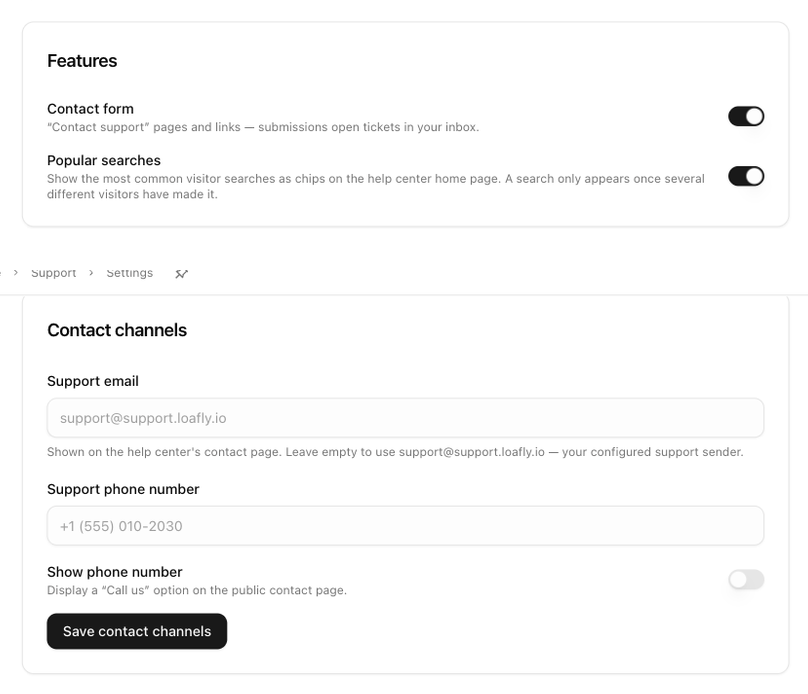 Two switches, saved as soon as you flip them:
- **Contact form**: the **Contact support** pages and links. Submissions open tickets in your inbox. Switching it off also removes the **Still need help? Contact us** link from AI answers.
- **Popular searches**: the **Popular:** chips on the home page, made from what visitors search for. A search only appears once several different visitors have made it.
## Contact channels
- **Support email** is shown on the contact page as **Email us**. Leave it empty to use your configured support sender for this site, or enter a different public address.
- **Support phone number** and **Show phone number** add a **Call us** option to the contact page. The phone is hidden until the switch is on.
Click **Save contact channels**.
## Self sign-up
Two switches, saved as soon as you flip them:
- **Contact form**: the **Contact support** pages and links. Submissions open tickets in your inbox. Switching it off also removes the **Still need help? Contact us** link from AI answers.
- **Popular searches**: the **Popular:** chips on the home page, made from what visitors search for. A search only appears once several different visitors have made it.
## Contact channels
- **Support email** is shown on the contact page as **Email us**. Leave it empty to use your configured support sender for this site, or enter a different public address.
- **Support phone number** and **Show phone number** add a **Call us** option to the contact page. The phone is hidden until the switch is on.
Click **Save contact channels**.
## Self sign-up
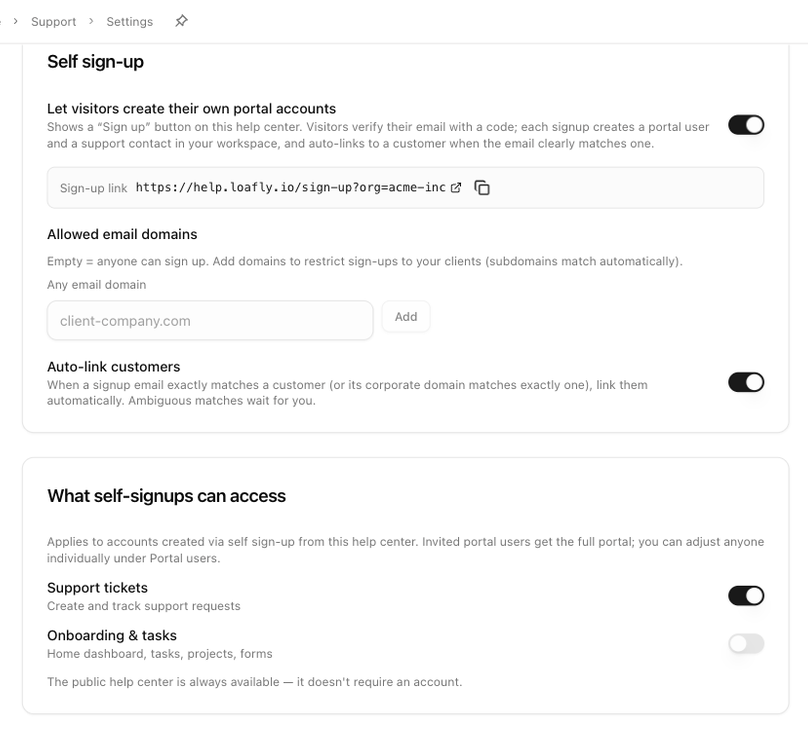 Visitors never need an account to read the help center. Self sign-up is for customers who should be able to open and track tickets in the portal without waiting for an invitation.
- **Let visitors create their own portal accounts** adds a **Sign up** button to the help center. Visitors verify their email with a code; each sign-up creates a portal user and a support contact in your workspace. When it is on, a **Sign-up link** appears for you to copy.
- **Allowed email domains** restricts sign-ups to your clients. Empty means anyone can sign up; subdomains match automatically.
- **Auto-link customers** links a new account to a customer when the email exactly matches one, or its company domain matches exactly one customer. Ambiguous matches wait for you.
**What self-signups can access** chooses what those accounts see in the portal: **Support tickets** and **Onboarding & tasks**. Invited portal users always get the full portal; you can adjust anyone individually under **Support → Portal users**.
A brand site follows the default site's sign-up settings until you change something here, at which point it keeps its own policy. **Use default settings** puts it back.
Next: [Use your own domain](./help-center-custom-domain).
Visitors never need an account to read the help center. Self sign-up is for customers who should be able to open and track tickets in the portal without waiting for an invitation.
- **Let visitors create their own portal accounts** adds a **Sign up** button to the help center. Visitors verify their email with a code; each sign-up creates a portal user and a support contact in your workspace. When it is on, a **Sign-up link** appears for you to copy.
- **Allowed email domains** restricts sign-ups to your clients. Empty means anyone can sign up; subdomains match automatically.
- **Auto-link customers** links a new account to a customer when the email exactly matches one, or its company domain matches exactly one customer. Ambiguous matches wait for you.
**What self-signups can access** chooses what those accounts see in the portal: **Support tickets** and **Onboarding & tasks**. Invited portal users always get the full portal; you can adjust anyone individually under **Support → Portal users**.
A brand site follows the default site's sign-up settings until you change something here, at which point it keeps its own policy. **Use default settings** puts it back.
Next: [Use your own domain](./help-center-custom-domain).