
Portal tickets in your inbox
For agents and support managers. Portal tickets behave like any other ticket; this guide covers the few things that differ: how to spot them, who is told about them and what the customer sees of your work.
How to spot a portal ticket
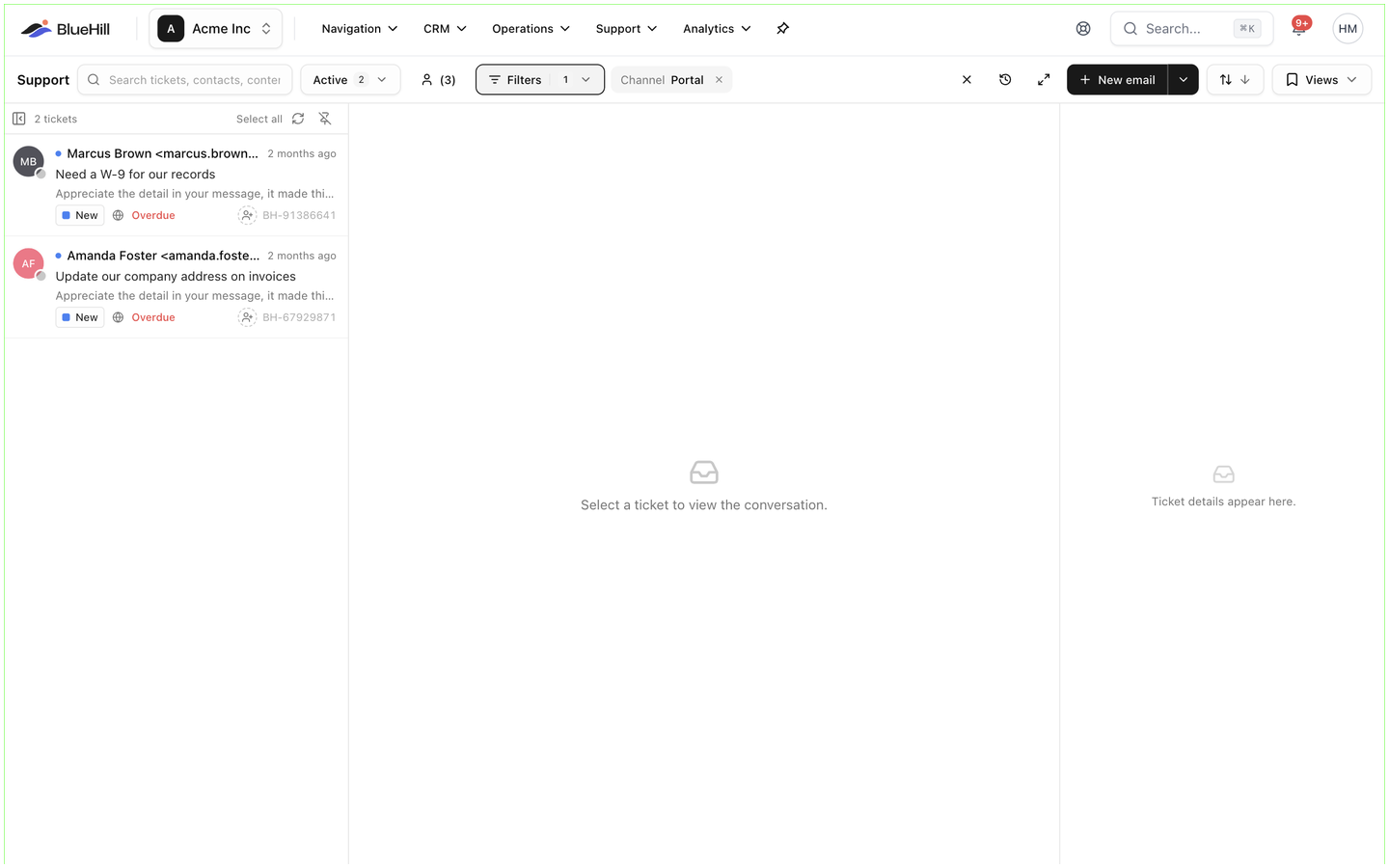
- The ticket's Channel is Portal. The line under the subject reads Portal · opened and the date, with a globe icon, and the Channel field under Conversation details in the rail says Portal. In the list, a globe marks each portal ticket; the table layout shows a Portal badge next to the subject.
- The inbox Filters panel can limit the list to Channel: Portal, and Support analytics breaks ticket volume down by channel.
- Tickets from the help center's Contact support form carry the same channel. Portal tickets are those where the requester is a portal user.
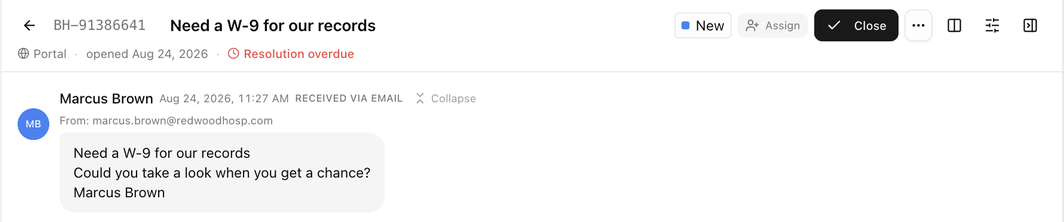
The Requester is the portal user's email address and name. For a user linked to a customer, the ticket is attached to that customer as soon as it is created; otherwise BlueHill matches the customer by email, as it does for incoming mail.
Who is told about it
- When a portal ticket arrives, the agent it was assigned to by your routing rules or round-robin receives an email. If no rule assigns it, nobody is emailed; the ticket simply appears in the inbox. Use Support settings → Routing if you want portal tickets to land with someone straight away.
- When the customer replies in the portal, the assignee is notified, and so is anyone watching the ticket. If the reply reopened the ticket, the notification says so.
- The customer receives your brand's automatic reply when the ticket is created, if Auto-reply is on for the brand, and an email for every reply you send.
What the customer sees of your work
| In your inbox | In the portal |
|---|---|
| A reply | Shown as a bubble with your name, and emailed. |
| An internal note | Never shown. |
| Status, assignment and other activity | Never shown. The customer sees only the status badge: Open, Pending, Solved or Closed, whatever your custom status is called. |
| Priority, tags, custom fields | Never shown. |
| Attachments on your reply | Images appear inline; other files are listed by name. |
Your email address is never displayed in the portal, only your name.
Status changes from the portal
A customer reply in the portal reopens a solved or closed ticket and moves a pending ticket back to Open, exactly as an email reply does. The Support guides explain the setting that limits this to solved and closed tickets.
Customers cannot close, solve or reopen a ticket themselves. Solve the ticket from the inbox when the work is done; it moves to the customer's Solved tab.
Merging, deleting and spam
- When you merge a portal ticket into another, the customer sees only the ticket you kept. Replies to the old one land on the kept ticket.
- A deleted ticket disappears from the portal. It is restored if the customer replies to it by email.
- Inbound email filters, spam rules and drop rules never touch portal tickets.
Next: FAQ and troubleshooting.