
Webhooks
For anyone connecting BlueHill to another tool, such as Zapier, Make or your own service. A webhook is a signed JSON message BlueHill posts to a URL when a rule's Send a webhook action runs.
The Webhooks tab
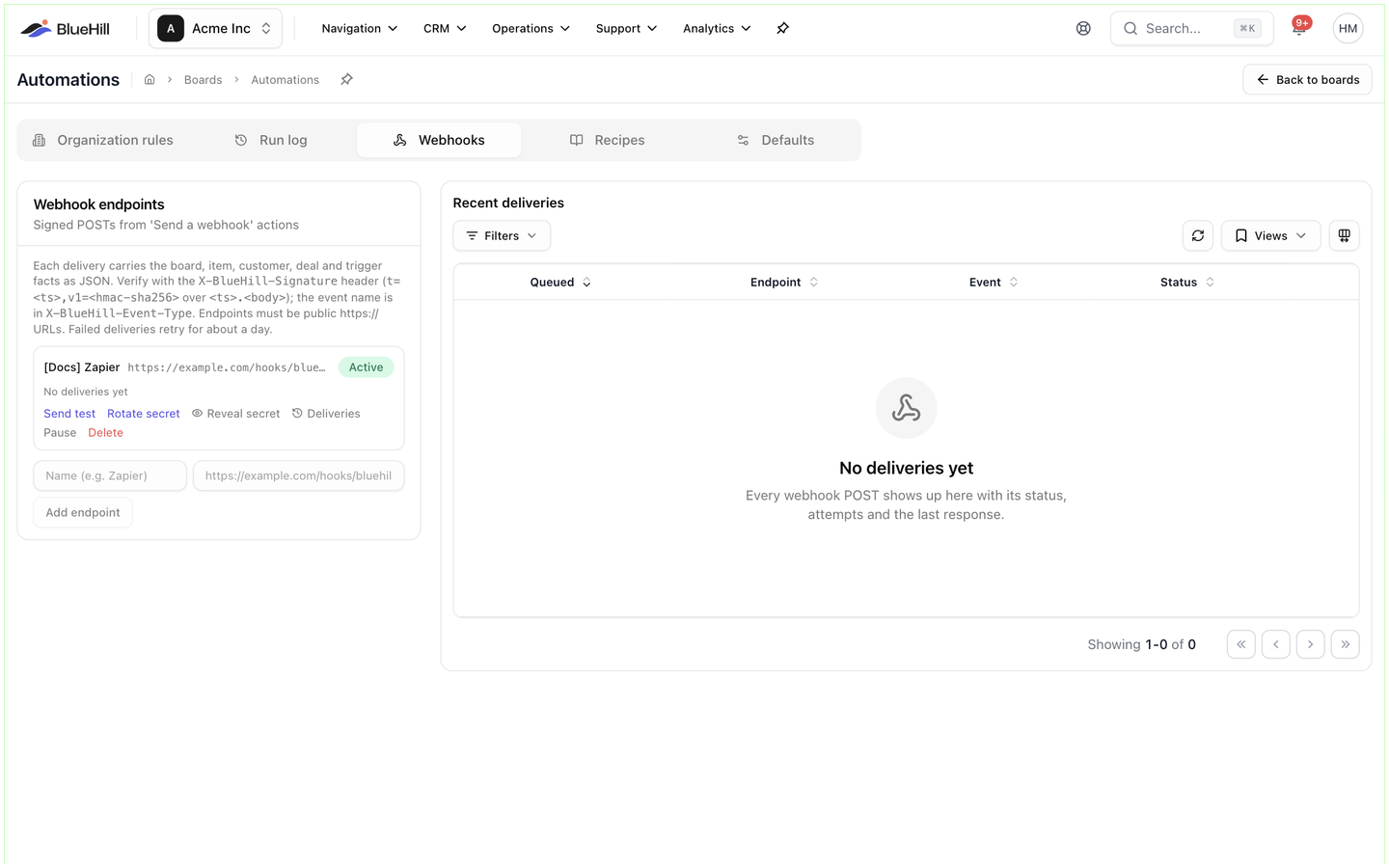
Operations → Automations → Webhooks has two parts: the Webhook endpoints card on the left (Signed POSTs from 'Send a webhook' actions) and Recent deliveries on the right. The card's help text explains how messages are signed and ends with the two rules that matter most: endpoints must be public https:// URLs, and failed deliveries retry for about a day.
Add an endpoint
- In the Webhook endpoints card, enter a Name (for example Zapier) and the URL.
- Click Add endpoint.
- Copy the signing secret that appears. It is shown once; later you can Reveal secret or Rotate secret from the endpoint card.
The URL must start with https:// and resolve to a public host. You can add up to 25 endpoints.
The endpoint card
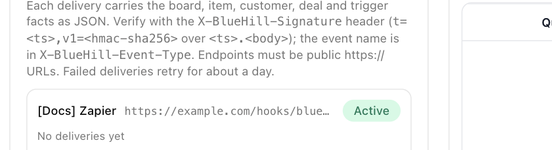
Each endpoint shows its name, URL and an Active or Paused badge, then its last delivery (Last delivery 5m ago · delivered (HTTP 200) or No deliveries yet) and these links:
| Link | What it does |
|---|---|
| Send test | Queues a test event; it posts within a few seconds and appears under Recent deliveries. |
| Rotate secret | Issues a new signing secret. Confirm in Rotate the signing secret?; deliveries signed with the new secret start immediately, so update the receiving side first. |
| Reveal secret / Hide secret | Shows the current secret with a Copy secret button. |
| Deliveries | Opens the list of deliveries to this endpoint only. |
| Pause / Resume | Pausing keeps deliveries queued (they are retried every 15 minutes) until you resume. Rules that use a paused endpoint show Needs attention. |
| Delete | Confirm in Delete this endpoint?. The URL stops receiving events immediately, and rules that use it skip the webhook step. |
Use an endpoint in a rule
- In the rule editor, add Send a webhook from the Integrations group.
- Pick the Endpoint.
- Optionally set an Event type. Without one, the event type is board_automation. followed by the trigger name, for example board_automation.task_status. Event types may only contain lowercase letters, digits, dots, underscores and hyphens.
See Actions.
What is sent
Each delivery is a JSON POST with an id, event_type, created_at, the rule, the run id and a data object holding the trigger, the actor, the board, the item, the customer, the deal or submission where relevant, and the rendered merge fields.
Headers:
| Header | Contents |
|---|---|
| X-BlueHill-Signature | t=timestamp,v1=signature, where the signature is an HMAC-SHA256 of timestamp.body using the endpoint's secret. Verify it before trusting a message. |
| X-BlueHill-Event-Type | The event type. |
| X-BlueHill-Event-Id and X-BlueHill-Delivery-Id | Identifiers for the event and this attempt, useful for de-duplicating retries. |
Your endpoint should answer within five seconds with any 2xx status. Anything else counts as a failed attempt.
Deliveries and retries
Recent deliveries lists every POST with Queued (and retry at … when a retry is pending), Endpoint, Event and Status (Pending, Delivered or Failed, with the HTTP status and the number of attempts). Filters narrows the list by status, Views saves a filter set, and Refresh reloads it. Until something has been sent, the list reads No deliveries yet.
Failed deliveries are retried after 1, 5, 30, 120, 360 and 1440 minutes before BlueHill gives up. Click a delivery to see the error, the Next attempt time and the Request body, and use Redeliver to send it again by hand. Each endpoint's Deliveries link shows the same list for that endpoint only.
Links from a rule's run detail open the matching delivery directly.
Next: FAQ and troubleshooting.